Home » Blog » Uncategorized » Cloud Backup vs Cloud Disaster Recovery: What Sets Them Apart
Cloud Backup vs Cloud Disaster Recovery: What Sets Them Apart
March 30, 2026
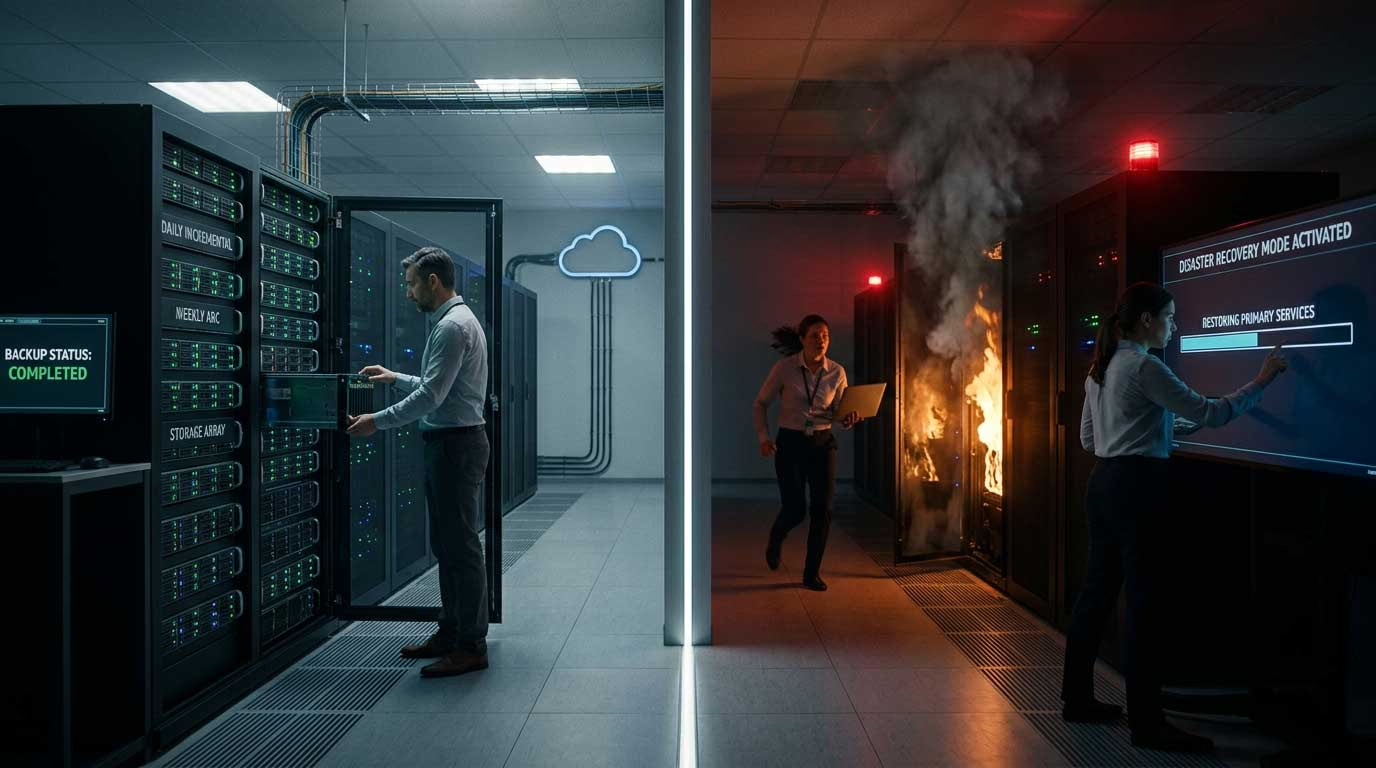
Data protection often gets grouped under one umbrella, but not all solutions serve the same purpose. Many small businesses assume that having backups in place is enough. The reality is different. Backup protects data, while disaster recovery protects operations.
Understanding the cloud backup vs cloud disaster recovery difference helps you avoid gaps that can slow down recovery or even stop business completely during disruptions.
What Is Cloud Backup?
Cloud backup focuses on storing copies of your data in a secure cloud environment. If files are lost, deleted, or corrupted, you can restore them from these backups.
What cloud backup typically covers:
Files, folders, and databases
Emails and documents
Application data snapshots
How it works:
Data is copied to cloud storage at scheduled intervals
Older versions are retained for recovery
Data can be restored when needed
Cloud backup works well for protecting data, but it does not restore full systems or applications instantly.
What Is Cloud Disaster Recovery?
Cloud disaster recovery goes beyond data storage. It ensures that your entire IT environment can be restored and run in the cloud during a failure.
What cloud disaster recovery covers:
Servers and virtual machines
Applications and systems
Network configurations
How it works:
Systems are replicated in the cloud
Failover shifts operations to the cloud environment
Failback restores normal operations once resolved
Cloud disaster recovery ensures that your business continues to function even when primary systems fail.
Cloud Backup vs Cloud Disaster Recovery
The difference between cloud backup and cloud disaster recovery becomes clear when you compare their purpose, scope, and recovery speed.
Factor
Primary Purpose
Scope of Protection
Recovery Speed
Downtime Impact
Data vs System Recovery
Automation Level
Infrastructure Requirement
Complexity
Cost
Scalability
Security Coverage
Testing
Business Continuity
Cloud Backup
Stores copies of data for retrieval when lost or corrupted
Limited to files, folders, databases, and snapshots
Slower, requires manual restore of data
High, systems remain unavailable during restore
Recovers only data
Mostly scheduled backups with manual recovery
Only cloud storage needed
Simple to set up and manage
Lower, based on storage usage
Scales storage easily
Protects stored data
Rarely tested by small businesses
Does not ensure continuity
Cloud Disaster Recovery
Ensures entire systems and applications continue running during failure
Covers full IT environment including servers, apps, and networks
Faster, uses automated failover to restore operations instantly
Low, systems switch to cloud environment with minimal interruption
Recovers both data and entire systems
Highly automated failover and failback processes
Requires replication of systems and environments
More advanced setup with planning and configuration
Higher, due to infrastructure replication and readiness
Scales both infrastructure and compute resources
Protects live systems, workloads, and data together
Requires regular testing to ensure recovery readiness
Designed specifically for uninterrupted operations
Understanding the Differences in Practical Terms
How Each Impacts Your Business
Cloud backup acts like a safety net for your data. If something goes wrong, you can retrieve files, but your systems may remain offline during recovery.
Cloud disaster recovery works like a standby system. It allows your business to continue running even when your primary systems fail.
Scenario
Accidental file deletion
Ransomware attack
Server crash
Application failure
Data center outage
Hardware failure
Cloud Backup Response
Restore specific file from backup
Recover clean version of data, but systems may stay down
Restore data on new server manually
Reinstall and restore data manually
No immediate solution, requires manual setup
Replace hardware, then restore data
Cloud Disaster Recovery Response
Restore file or entire system if needed
Switch to clean replicated environment and resume operations quickly
Automatically failover to cloud environment
Applications continue running from replicated setup
Instant failover ensures business continuity
No dependency on physical hardware, systems run in cloud
Key Takeaways from the Comparison
Cloud backup solves data loss problems, but not downtime
Cloud disaster recovery solves both data loss and downtime
Backup is reactive, recovery is proactive
Backup helps after an issue, disaster recovery helps during an issue
Relying only on backup can delay business operations
Why This Difference Matters for Small Businesses
Small businesses often choose cloud backup due to lower cost, but that leaves a gap when systems fail completely. Without disaster recovery, teams may wait hours or even days to restore operations.
Cloud disaster recovery closes this gap by ensuring that systems are already available in the cloud and can take over immediately when needed.
When Do You Need Cloud Backup?
Cloud backup works best when your priority is data safety rather than instant recovery.
Use cloud backup if:
You want to protect files from accidental deletion
Your operations can handle some downtime
You need a cost-effective data protection solution
You want version history and file recovery options
When Do You Need Cloud Disaster Recovery?
Cloud disaster recovery becomes essential when downtime directly affects revenue, customer experience, or operations.
This highlights how cloud computing services and models differ across operational needs and technical involvement.
Use cloud disaster recovery if:
Your business cannot afford downtime
You run customer-facing applications
You need quick system restoration
You handle critical or real-time operations
Can You Use Both Together?
Cloud backup and disaster recovery are not competing solutions. They complement each other.
Many businesses use backup for long-term data storage and disaster recovery for immediate operational continuity.
A combined approach offers:
Data protection through backups
System continuity through disaster recovery
Reduced risk across multiple scenario
Common Mistakes to Avoid
Many businesses invest in data protection but still face issues during recovery due to gaps in planning or execution. Avoiding these mistakes can save time, cost, and operational stress.
Relying only on backup without recovery planning: Backup ensures data is stored, but it does not guarantee quick restoration of systems. Without a disaster recovery setup, operations can remain offline for extended periods.
Not defining recovery time and recovery point goals: Without clear RTO and RPO targets, businesses struggle to decide how fast systems should be restored and how much data loss is acceptable. This leads to confusion during real incidents.
Skipping regular testing of recovery processes: Many setups look reliable on paper but fail during actual use. Regular testing ensures backups are usable and disaster recovery processes work as expected.
Using inconsistent or outdated backup schedules: Irregular backups increase the risk of losing recent data. Automated and frequent backups help maintain data accuracy and reduce gaps.
Ignoring security and compliance requirements: Storing data in the cloud without proper encryption, access control, or compliance checks can create vulnerabilities and legal risks.
Choosing solutions without scalability: As data grows, limited solutions can slow down performance or increase costs unexpectedly. Scalable solutions help maintain efficiency over time.
Overlooking integration with existing systems: Tools that do not integrate well with your current infrastructure can create operational friction and delay recovery efforts.
How to Choose the Right Approach
Selecting the right mix of cloud backup and disaster recovery depends on your business priorities, risk tolerance, and operational needs.
Assess business-critical systems first: Identify which applications and systems are essential for daily operations. These should be prioritized for disaster recovery rather than just backup.
Define acceptable downtime and data loss: Determine how long your business can operate without systems and how much data loss is manageable. This helps decide between backup, disaster recovery, or both.
Align solution with budget and resources: Backup solutions are cost-effective, while disaster recovery requires more investment. Choose a setup that balances cost with business impact.
Evaluate automation and monitoring capabilities: Automated failover, alerts, and monitoring reduce manual effort and improve response time during disruptions.
Check security standards and compliance support: Ensure the solution meets industry regulations and includes encryption, access control, and audit capabilities.
Review vendor reliability and support: Strong service agreements, uptime guarantees, and responsive support teams play a key role during critical situations.
Plan for future growth: Choose a solution that can scale with increasing data, users, and systems without requiring a complete overhaul.
Consider a combined strategy: For most small businesses, using both cloud backup and disaster recovery provides balanced protection, ensuring both data safety and operational continuity.
Conclusion
The difference between cloud backup and cloud disaster recovery comes down to one key idea. Backup protects your data. Disaster recovery protects your business.
Small businesses that rely only on backups may face delays during recovery. Adding disaster recovery ensures faster restoration and keeps operations running when disruptions occur.
A balanced strategy that includes both solutions helps reduce risk, improve recovery speed, and maintain business continuity without unnecessary complexity.
Providing professional IT services to businesses, including managed IT, cloud computing, unified communications, IT consulting, backup & disaster recovery, and internet marketing services - to help our customers operate without walls.
Providing professional IT services to businesses, including managed IT, cloud computing, unified communications, IT consulting, backup & disaster recovery, and internet marketing services - to help our customers operate without walls.