
Over the past year, countless businesses moved to a remote-work or hybrid model.
It also meant these businesses had to change the way they operate, including a sweeping shift to cloud-based services and a renewed look at their IT security.
But despite these changes, many businesses aren’t where they need to be.
There are still gaps in their cloud infrastructure and security.
How do you fill those gaps?
Put a greater emphasis on endpoint security and monitoring.
As much as you need solid IT security on your end, every employee needs solid IT security on their end as well.
Not only does every device need endpoint security, but you also cannot forget about performance monitoring.
This gives you the ability to see threats and potential threats to your network in real time.
That means you can react accordingly and stop potential attacks or hardware failures.
Forbes, April 15, 2021
Some businesses have tried to avoid the cloud.
There are lingering fears that cloud-based services aren’t as secure as their non-cloud counterparts.
However, cloud services are more prominent than ever, and service providers are fully aware that they must meet the IT security needs of today.
For those businesses still unsure, it’s estimated that 97% of businesses already use cloud services.
You might not realize it, but cloud services are in the mainstream.
Even businesses that are hesitant to join the cloud may already be a part of it.
Most e-mail and communication apps are cloud-based.
If you use virtually any Google or Microsoft service, you’ve joined the cloud.
The bottom line is that digital security is top priority for cloud platforms.
Not only do these providers need to meet the requirements of their clients, but they must also follow international rules and regulations.
If you want to keep your data backed up and secure, the cloud is your answer. Forbes, April 1, 2021
Want to know more about how the cloud can help your business? Take a look at these cloud services and the benefits of cloud backup

Many people go the self-employment route in order to have more control over their days, in search of a better work/life balance.
Reality soon becomes very different: long hours while you pour everything into the business. This leads to burnout.
What actions can you take to avoid or escape this trap?
More people are working at home. With a spread-out workforce, businesses face new challenges that they didn’t face with the traditional in-office model.
Now, as businesses adapt, they are looking for ways to get more out of their remote workforce.
Today’s workforce is more tech-savvy than ever before. This means your business should be as well.
You want to attract good talent, and leveraging your own tech prowess can be a way to do just that.
Think about how you engage with social media.
Is it something that’s just there or is it something you’re using to actively reach out and connect with customers, potential customers, and your community?
TikTok, for example, relies on a powerful algorithm to reach specific audiences.
Businesses can take advantage of that to get content, including ads, to relevant eyes.
According to Hootsuite, TikTok pushes for five million daily impressions for certain ads.
Taking it a step further, you can mix AI with human communication.
Chatbots are more advanced than ever and can seriously impact lead generation.
Chatbots also direct users to real people to continue the conversation on specific terms. Basically, there are more ways to customize how you communicate, and it’s worth investing in. Forbes, March 12, 2021
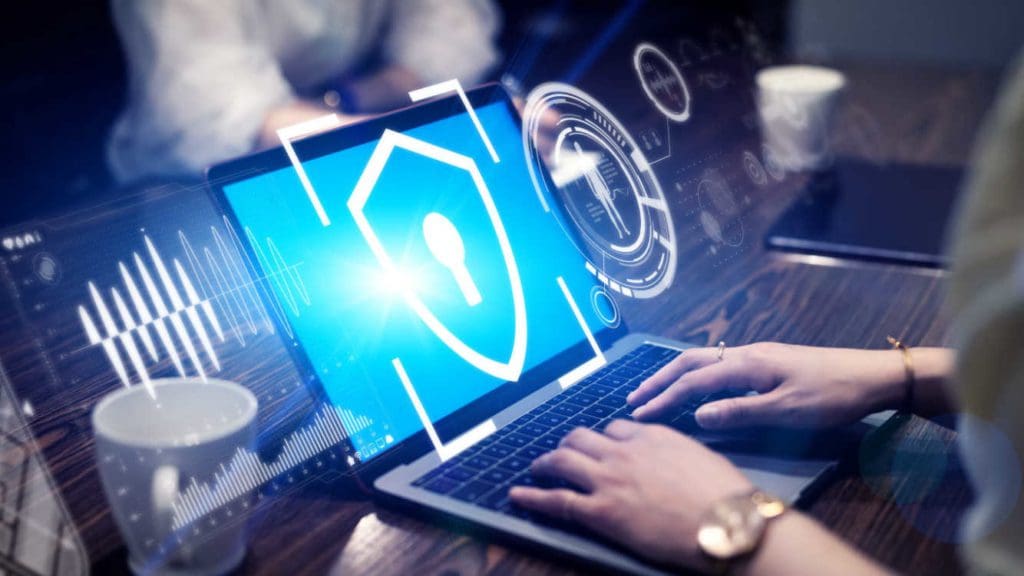
Concept of cyber crime, businesswoman using computer and show malware screen that comes with email, hack password from bank accounts and personal data.
A couple of years ago, TechRepublic ran a story with the following headline: “Employees Are Almost As Dangerous To Business As Hackers And Cybercriminals.”
From the perspective of the business, you might think that’s simply inaccurate.
Your company strives to hire the best people it can find – people who are good at their jobs and would never dream of putting their own employer at risk and who follow cybersecurity guidelines properly.
And yet, many employees do, and it’s almost always unintentional.
Your employees aren’t thinking of ways to compromise your network or trying to put malware or ransomware on company computers, but it happens.
One Kaspersky study found that 52% of businesses recognize that their employees are “their biggest weakness in IT security.”
Where does this weakness come from?
It stems from several different things and varies from business to business, but a big chunk of it comes down to employee cybersecurity behavior and lack of cybersecurity training.
We all make mistakes. Unfortunately, some mistakes can have serious consequences.
Here’s an example: an employee receives an e-mail from their boss. The boss wants the employee to buy several gift cards and then send the gift card codes to them as soon as possible. The message may say, “I trust you with this,” and work to build urgency within the employee.
The problem is that it’s fake. A scammer is using an e-mail address similar to what the manager, supervisor, or another company leader might use.
It’s a phishing scam, and it works. While it doesn’t necessarily compromise your cybersecurity internally, it showcases gaps in employee cybersecurity knowledge or the lack of cybersecurity training.
Another common example, also through e-mail, is for cybercriminals to send files or links that install malware on company computers.
The criminals once again disguise the e-mail as a legitimate message from someone within the company, a vendor, a bank, or another company the employee may be familiar with.
It’s that familiarity that can trip up employees.
All criminals have to do is add a sense of urgency, and the employee may click the link without giving more thought.

One Kaspersky study found that 52% of businesses recognize that their employees are “their biggest weakness in IT security.”
This happens when an employee clicks a link without thinking.
It could be because the employee doesn’t have cybersecurity training to identify fraudulent e-mails or the company might not have a comprehensive IT and cybersecurity policy in place.
Another form of carelessness is unsafe browsing habits.
When employees browse the web, whether it’s for research or anything related to their job or for personal use, they should always do so in the safest way possible.
Tell employees to avoid navigating to “bad” websites and to not click any link they can’t verify (such as ads).
Bad websites are fairly subjective, but one thing any web user should look for is “HTTPS” at the beginning of any web address.
The “s” tells you the site is secure. If that “s” is not there, the website lacks proper security.
If you input sensitive data into that website, such as your name, e-mail address, contact information, or financial information, you cannot verify the security of that information and it may end up in the hands of cybercriminals.
Another example of carelessness is poor password management.
It’s common for people to use simple passwords and to use the same passwords across multiple websites.
If your employees are doing this, it can put your business at a huge risk. If hackers get ahold of any of those passwords, who knows what they might be able to access.
A strict password policy is a must for every business.
This cybersecurity carelessness can be mapped by assessing your employees' vulnerability score (EVS)
The best way to overcome the human weakness in your IT security is through education.
A cybersecurity policy is a good start, but it must be enforced and understood. Employees need to know what behaviors are unacceptable, but they also need to be aware of the threats that exist.
They need resources they can count on as threats arise so they may be dealt with properly.
Working with an MSP or IT services firm may be the answer – they can help you lay the foundation to turn this weakness into a strength.
It's because of all these reasons that we at QWERTY Concepts take a proactive approach when comes to cybersecurity by not only implementing hardware and software for protection but also establish a plan of continuous cybersecurity training for all employees via an interactive platform, and sending them weekly and monthly tests to sharpen their senses against real cyberattacks.

Myth 1: You Can Skip Mobile Optimization. You may have spent a lot of time and money on your full website, but don’t stop there. Google cares about mobile optimization, as mobile search is quickly taking over desktop search, so Google wants to cater to those people. If you don’t optimize for mobile, it will hurt your rankings.
Myth 2: Links Are More Important Than Content. Yes, linking is important, but you absolutely need solid content on your website to present yourself as a valid and credible site. Web users don’t stick around websites with poor content or just links. And when users quickly leave, the value of your links drops. Quality content is key.
Myth 3: Ranking Is More Important Than Anything Else. Some businesses only care about being on Page 1 or in the top five search results, but making that happen can be incredibly difficult. It’s more important to entice the searching public to click on your content regardless of placement. It comes back to having quality content on your website, content that solves or answers a question (adds value) for the user. Inc., Jan. 18, 2021
When your customer service employees are in a bad mood, it can come across in their work. Customers may notice, which can reflect on your business. Even if you’ve hired a stellar customer service (CS) team, sometimes negativity breaks through. Here are the top reasons.
They’re Frustrated. This is common for not just CS employees but also employees in any department. When they lack proper tools or resources and/or are understaffed, it leads to friction. Their job becomes much harder than it should be, and that doesn’t take long to show in customer-facing interactions.
They Lack Training. Sometimes the hiring process goes a little too quickly and CS employees are dropped into the role without full training. Even if they’re experienced in CS, they need to know your expectations and how you do things.
They Lack Support. This is the most important. Every employee needs support to succeed. In a CS position, lack of support can hurt your overall business. Be flexible and be there for your team to meet their needs. Forbes, Jan. 16, 2021
Putting down the phone, stepping away from the computer, and turning off the TV can do wonders. Here are just a few of the benefits you can experience.
It Reduces Stress. The news and social media are packed with negativity. When you cut yourself off from the negativity, the stress melts away.
It Boosts Productivity. We live in the era of information overload. Spending too much time behind a screen clutters our brains and slows us down. Take a break to get perspective and regain focus.
It Just Helps You Feel Better. It gives your brain a chance to rest. Blue light given off by screens is overstimulating. Turning off the screen gives you a chance to recuperate mentally, emotionally, and even physically. Forbes, Jan. 15, 2021
GIAC Security Essentials (GSEC)
Ideal for those who may not have an extensive background in IT security and networking but who work in an IT security (or similar) role and want a baseline certification. No prerequisites. Learn more at
GIAC.org/certification/security-essentials-gsec.
(ISACA) Certified Information Security Manager (CISM)
Less technical and more managerial. Ideal for those in IT and risk management roles that are not strictly technical. Prerequisites for certification include five years experience in information security (including three years as an information security manager). Learn more at ISACA.org/credentialing/cism.
(ISC)² Certified Information Systems Security Professional (CISSP)
A high-level certification aimed at those with an extensive and knowledgeable IT security background. This certification is in very high demand by companies around the world. Prerequisites include five years experience in a position related to CISSP (or one year of experience plus a four-year degree). Learn more at ISC2.org/certifications/cissp.
(ISC)² Certified Cloud Security Professional (CCSP)
Ideal for those experienced in IT security with an emphasis on cloud-based solutions. Prerequisites for certification include a minimum of five years of full-time IT experience (with three years in information security). Learn more at ISC2.org/certifications/ccsp. Infosec, Dec. 22, 2020
The research is clear: people have a habit of putting more value on opinion rather than fact. It’s because it’s easy! This is discussed in Daniel Kahneman’s best-selling book, Thinking, Fast And Slow, and in numerous research papers. Accepting opinions requires less thinking than evaluating facts.
Data-driven companies need to take this into account when it comes to their teams. According to Kahneman, some people are “type 1” thinkers or fast thinkers, and opinions mean more to them. Others are “type 2” or slow thinkers – they take their time and evaluate what they hear.
Michael Schrage, research fellow at MIT Sloan School’s Center for Digital Business, says you can’t just switch between the two types of thinking automatically. It’s more fundamental – you have to change people’s mindsets over time. His suggestion is to incentivize analytical, fact-based thinking and recognize employees who take this approach. Inc., Oct. 29, 2015

Countless businesses had to figure out how to navigate the last year. Some didn’t make it, but at the same time, many thrived. Nearly a year after the pandemic began, many businesses are still trying to navigate COVID-19 repercussions.
How do you drive success in 2021?
We all feel burned out every now and again. It’s the point when we feel completely exhausted with our work and need to step away. But here’s a different way to think about burnout: we don’t get burned out because we’re working too much, we get burned out because we’re doing too little of what we love.
When we do things that we’re passionate about, that gives us energy and keeps us going. When our work becomes work for the sake of work, that’s what drives us toward exhaustion. You may be productive, but does your productivity enrich your life in any meaningful way? To truly avoid burnout, engage in activities, projects, and tasks that drive you forward and keep the passion alive. Inc., Nov. 23, 2020

A record number of companies said goodbye to the traditional in-office work model in 2020. They embraced the remote work model as they adapted to the new COVID-19 reality. It was a huge shift that came with many challenges, and some of those challenges are still felt today.
One of those challenges was – and is – cyber security. Businesses wanted to get their remote workforce up and running, but there were a lot of questions about how they would keep their new remote employees secure.
So, how can you enable remote work while keeping your business and your employees secure? How do you keep cybercriminals out? The answer is multifaceted. There is no one-size-fits-all approach to cyber security — that would make things much easier! But there are several steps you can take to help your remote team stay productive while keeping the cybercriminals out. Here are three things you need to do:
Thankfully, there are plenty of options to help keep employees connected without having to worry about snoops. The most popular is the VPN, or virtual private network. VPNs allow remote workers to securely access the Internet, even through public WiFi. VPNs are ideal for remote workers who need to routinely access your network.
Another option is the personal hotspot. This is a portable WiFi access point, usually paired with data service through a telecom like Verizon, AT&T, or T-Mobile. It gives remote workers flexibility to work anywhere they can get high-speed data service. Because the remote worker is the only person on the hotspot (and should be the only person), there is less worry about hackers snooping for your data.
There is no one-size-fits-all approach to cyber security — that would make things much easier!
That said, many businesses work with an IT services company or managed services provider to create a list of approved devices (PCs, laptops, tablets, smartphones, etc.) that employees can use. Then those devices are loaded up with malware protection, a VPN, and other security solutions. So, while employees may be using a variety of devices, they all have the same security and other necessary software in order to perform their duties.
The best device policy, however, is to provide employees with work devices. This ensures that everyone is using the same hardware and software, and this makes it much easier to keep everyone up-to-date and secure. It takes a little more effort logistically, and it has a higher up-front cost, but when it comes to keeping your business secure, it’s worth it.
If employees will be carrying their work devices with them for any reason, those devices should be kept nearby at all times. That means never leaving work devices in vehicles or unattended at a café or airport (or any location). Never leave a device where it has the potential to be taken.
It’s also important to remind employees to not only keep their doors locked but also keep work devices out of sight. You wouldn’t want to set up a home office in a room facing the street outside while leaving the windows open and the door unlocked because you never know who may walk or drive by. Just as cybercriminals are always looking for ways to break into your network, criminals are looking for opportunities to walk away with high-value items.
The way we work is changing, so we must be prepared for whatever happens next. Implementing these three steps will give you a starting point, but they aren’t the end point. Work with an experienced MSP to get the most out of your remote work approach. Many businesses will not be returning to the traditional in-office model, so the more steps we take to secure our businesses and our remote teams, the better off we’ll all be.
You may also use this checklist to look into some extra tips for a safe work-from-home and remote work environment.

More people are working remotely than ever before. Many businesses had to make a huge shift in 2020. At the same time, cybercriminals used the shift to attack as many people as possible. They knew that with more people working at home, there would be a window when cyber security wasn’t a priority – and they were right.
Because businesses had their hands full getting their teams set up for remote work, IT security slipped through the cracks. Cybercriminals used their greatest tool to their advantage. That tool? Human error. Hackers sent out phishing emails and attacks at an unprecedented rate. Infosecurity Magazine reports that phishing attacks increased upwards of 30,000% over the last year!
This highlights the need for strong IT security for the remote workforce. Remote workers must be trained up on the latest cyberthreats, especially phishing scams. They also need serious endpoint security on their at-home devices (such as antivirus software and other malware protection). If you need them to access your network, security MUST be in place, and that includes the use of a VPN. usecure, Oct. 8, 2020
Before you turn your attention to the big goals you’ve set for your business in 2021, there’s one very important thing you need to do ASAP: a cyber security audit. You need to know where you and your business stand against today’s many cyberthreats. An IT security assessment will tell you how capable you are of withstanding or blocking data breaches, malware infections, and much more. When you know where the gaps are, you can fill them, giving your business the edge in 2021.
If it’s time for a new reading list, look no further than some of the top reads from 2020, as picked by CEOs. Here are a few of their picks according to the online library, Perlego.
This is a collection of brief and useful strategies and tips for increasing your business productivity and revenue.
As work situations have gone remote, e-mail has become even more vital for communication. So make sure your e-mail habits are good.
If you want to make more sales, you have to motivate your team to do so. Here are some ways to incentivize great work.
There’s more than one way to successfully generate revenue, and now is the time to get started exploring options.
Did you know the average website is attacked 94 times every day? As cybercriminals become better equipped with more advanced technology, that number will increase. Small-business websites (and small businesses, in general) are the most at risk for attack.
Small businesses are tempting targets because SMB websites are often a direct link to that SMB’s network, where all kinds of goodies are stored, including sensitive business and customer data.
This is data cybercriminals want.
Cybercriminals and hackers can be aggressive when it comes to attempting to access your network and data. They use malware, ransomware, phishing scams, bot attacks, and even direct attacks to get to your data. If you don’t have protections in place against these kinds of incursions, you are putting your business in harm’s way.
There are many “barriers” you can put between your business and the bad guys, but there are four things you can do (and should do) right now to put yourself ahead of the curve. These will protect your business and protect your data.
Education is a powerful tool, and that is 100% true when it comes to cybersecurity. There are several steps you can take to create a culture of awareness.
This includes employee cybersecurity training, along with ongoing education that keeps everyone in your organization informed about the latest threats and the latest ways to combat those threats.
Training helps your team identify threats and recognize when someone is trying to break into your network (such as through a phishing scam). Because cyber threats are constantly evolving, ongoing education will keep these threats top of mind, so as the threats change, your team is right there on the frontlines ready to take on whatever may be around the corner.
This is where partnering with an experienced IT services firm really comes in handy. Coming back to point #1, an IT services company can help you create that culture of awareness, but more than that, they can keep two eyes on your network 24/7. This way, if something or someone attempts to force their way into your network, they can stop it before it becomes a problem.
Even better, threat monitoring helps protect your team from more common types of attacks, such as malware or ransomware attacks. Should an employee accidentally click a harmful link or download a malicious program, it can be isolated before it takes hold and spreads.
At QWERTY, we can help you with both a cybersecurity awareness and training program and the active monitoring of network threats. These cybersecurity services and more are part of our IT managed services plans*.
Practically every piece of hardware and software you use needs to be updated at some point. When you don’t update, you put yourself at serious risk. Hackers are constantly looking for vulnerabilities in the apps and devices you use. CRM software is a good example. This software connects your business with customers, and it can be used to store all kinds of information, from very basic contact information to very sensitive customer-specific data.
Should a vulnerability be found, hackers won’t waste any time attempting to exploit it. In response, the makers of that CRM software should send out a security patch. If you do not make the update (or have the update automatically installed), your risk increases significantly.
Again, working with an IT services firm or a managed services provider can help you address this minor – but very important – step. They can ensure everything under your roof is up-to-date and that you have all the latest protections.
Every single person on your team should be on the same page. They should:
You should know exactly what to do if your on-site data becomes compromised in any way, whether it’s due to malware, a natural disaster (flooding, fire, etc.), or hardware failure.
In short, you should have an IT handbook – a plan that spells out every detail of your IT protocol, back up and disaster recovery plan, and cybersecurity strategies. This goes hand in hand with the three points we’ve already discussed: awareness, threat monitoring, and keeping hardware and software updated.
When you have a plan, you know exactly what to do when threats come your way.
You’re ready and aware.
Cyber threats are always going to be out there. There isn’t anything you can do about that. But there are things you can do for yourself and your business to prepare for those threats.
Put these four points into action, work with an IT services provider, and give yourself the advantage over those who want to take advantage.
*The full stack of cybersecurity services is included in the Enhanced, Enhanced +, and Comprehensive plans. For more details please refer to our plans section or schedule a free assessment.
Over the past year, countless businesses moved to a remote-work or hybrid model.
It also meant these businesses had to change the way they operate, including a sweeping shift to cloud-based services and a renewed look at their IT security.
But despite these changes, many businesses aren’t where they need to be.
There are still gaps in their cloud infrastructure and security.
How do you fill those gaps?
Put a greater emphasis on endpoint security and monitoring.
As much as you need solid IT security on your end, every employee needs solid IT security on their end as well.
Not only does every device need endpoint security, but you also cannot forget about performance monitoring.
This gives you the ability to see threats and potential threats to your network in real time.
That means you can react accordingly and stop potential attacks or hardware failures.
Forbes, April 15, 2021
Some businesses have tried to avoid the cloud.
There are lingering fears that cloud-based services aren’t as secure as their non-cloud counterparts.
However, cloud services are more prominent than ever, and service providers are fully aware that they must meet the IT security needs of today.
For those businesses still unsure, it’s estimated that 97% of businesses already use cloud services.
You might not realize it, but cloud services are in the mainstream.
Even businesses that are hesitant to join the cloud may already be a part of it.
Most e-mail and communication apps are cloud-based.
If you use virtually any Google or Microsoft service, you’ve joined the cloud.
The bottom line is that digital security is top priority for cloud platforms.
Not only do these providers need to meet the requirements of their clients, but they must also follow international rules and regulations.
If you want to keep your data backed up and secure, the cloud is your answer. Forbes, April 1, 2021
Want to know more about how the cloud can help your business? Take a look at these cloud services and the benefits of cloud backup